For all Shopify plans
Watch specific metafields on products, customers, orders, and collections. When a value changes, FieldWatch fires a Shopify Flow trigger with the old and new values — so you can automate anything.
Built for Shopify
Meets Shopify's highest quality standards
Old + New Values
Every trigger includes previous and current values
Free to Start
3 watches, 20 events/month. No credit card required.
Metafields power your custom data — product attributes, customer tags, order flags. But when those values change, Flow has no way to react.
Shopify Flow can trigger on "Order created" or "Product status changed" — but not "metafield value changed." If your automation depends on custom data, you're stuck.
Even when other apps detect a change, they don't tell you what the previous value was. You can't build "when status changes FROM draft TO active" without both values.
You want to trigger only when a value changes to "VIP" — not on every edit. Without conditions, you're drowning in irrelevant triggers or building workarounds in Flow.
FieldWatch solves all three.
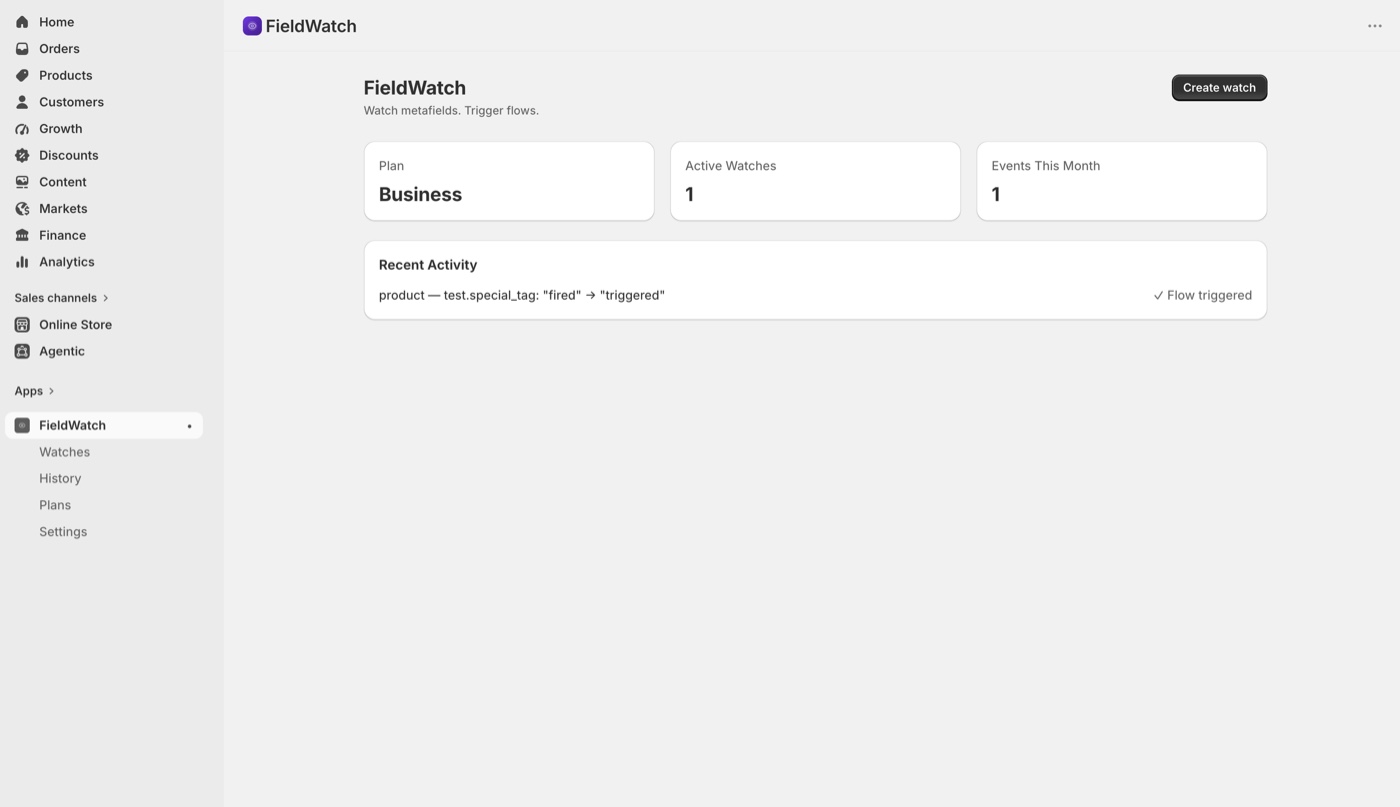
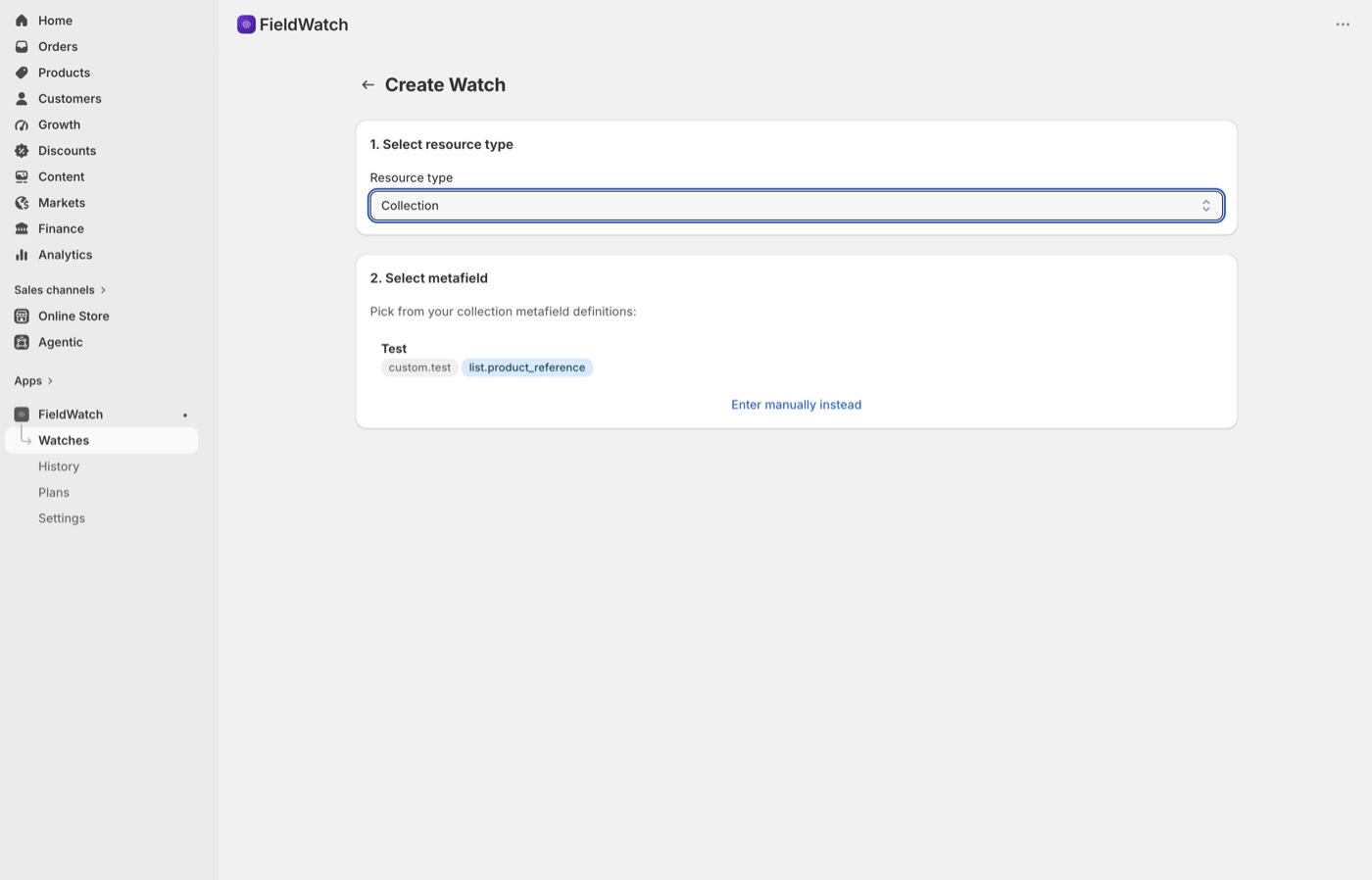
FieldWatch fetches your actual metafield definitions from Shopify. No typing namespace and key from memory — just pick from a list. Select the resource type, choose a metafield, set your condition, and save.
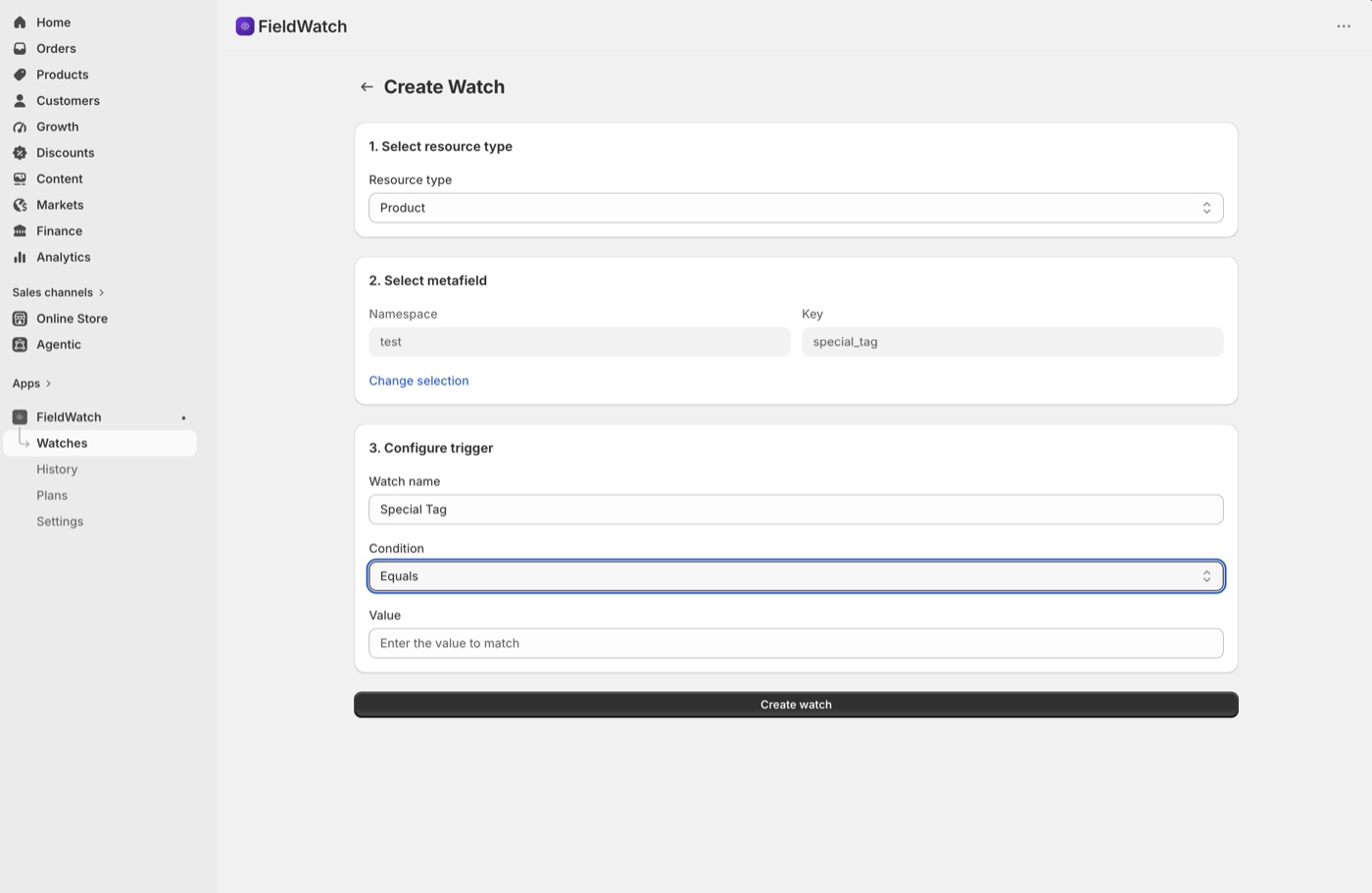
Don't fire on every change. Set conditions: trigger only when the value equals "VIP," contains "urgent," changes to "active," or exceeds a threshold. Your Flow workflows get clean, relevant triggers — not noise.
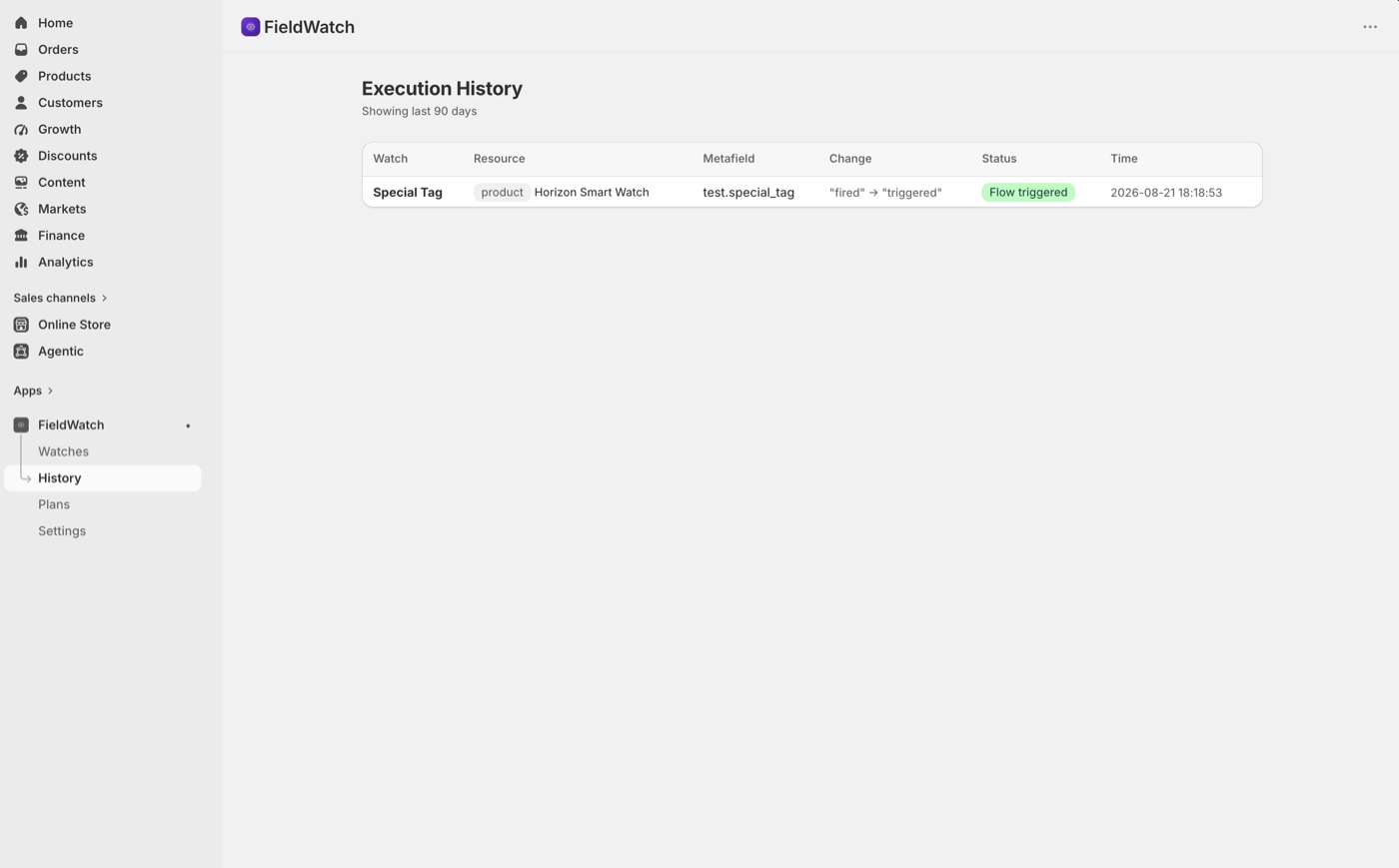
Full execution history shows every trigger fire — which watch, which resource, old value, new value, whether the condition matched, and whether Flow was triggered. Debug issues in seconds.
Choose the resource type and browse your actual metafield definitions. Select the one you want to watch.
Trigger on any change, or only when the value equals, contains, or transitions to a specific value.
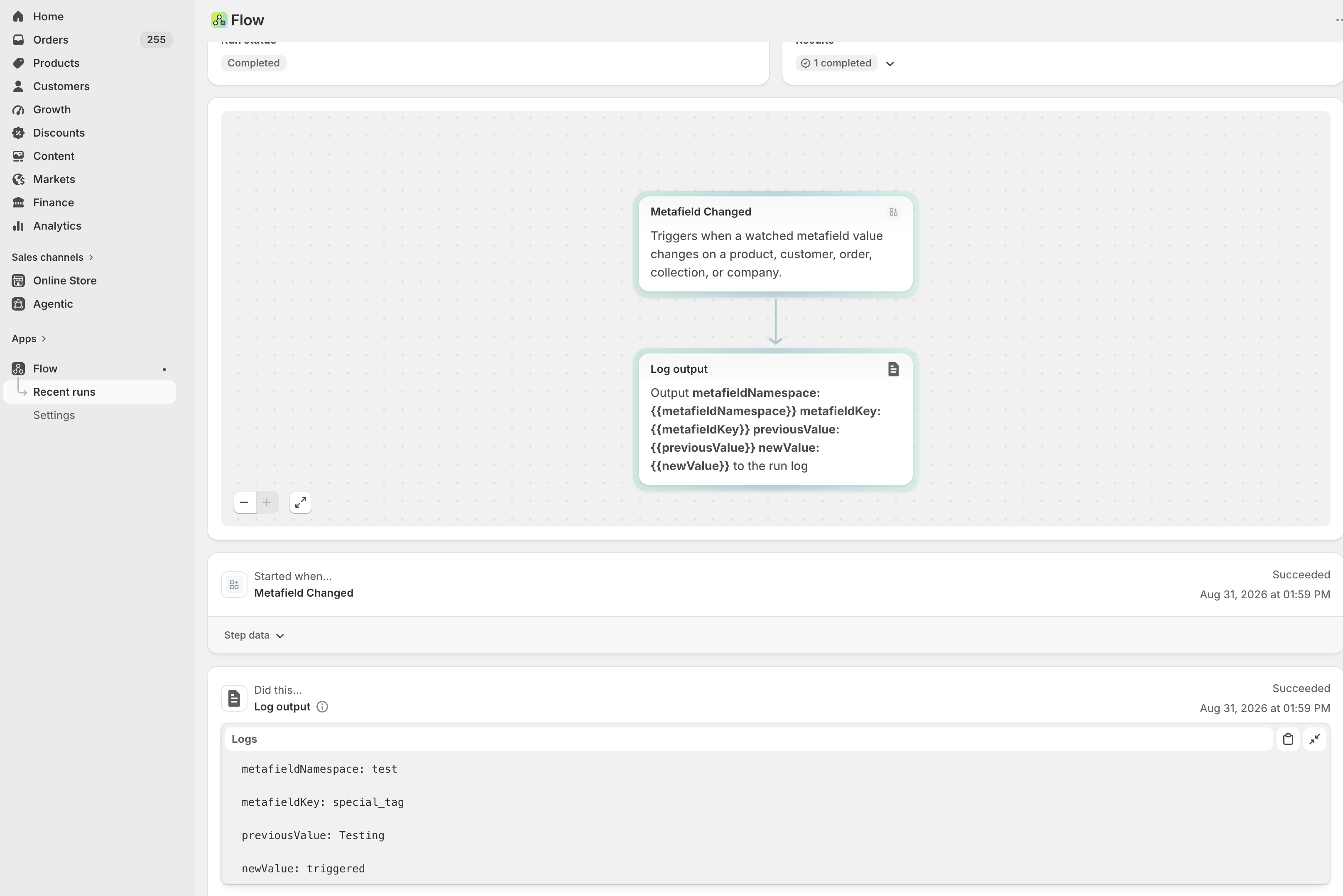
FieldWatch fires a "Metafield Changed" trigger in Shopify Flow with all the context. Build any automation you want.
Start free. Upgrade when you need more.
Free
Pro
Business
All paid plans include a 7-day free trial. Cancel anytime. Billed through Shopify.
FieldWatch watches specific metafields on your Shopify products, customers, orders, and collections. When a watched metafield value changes, FieldWatch fires a Shopify Flow trigger with the old value, new value, and resource details — so you can automate any downstream action.
No. FieldWatch works on all Shopify plans — Basic, Shopify, Advanced, and Plus.
FieldWatch subscribes to resource update webhooks and queries Shopify for the current values of your watched metafields. It compares against stored snapshots to detect changes. When a change is found and your conditions match, it fires a Shopify Flow trigger with the old and new values.
Instead of triggering on every change, you can set conditions: only trigger when the value equals a specific string, contains a keyword, changes to or from a specific value, or exceeds a numeric threshold. Available on Pro and Business plans.
Yes. Every Flow trigger includes the previous value and the new value, along with the resource type, resource ID, resource title, metafield namespace, key, and timestamp. You can use these in Flow conditions and actions.
Absolutely. The Free plan includes 3 watches and 20 events per month at no cost, with no time limit. When you need unlimited watches, conditional triggers, or more events, the Pro and Business plans each have a 7-day free trial.
Free plan includes 3 watches and 20 events per month. No credit card required.
We'd love to hear from you.
Message sent!
We'll get back to you shortly.